Monday, November 29, 2004
Sunday, November 28, 2004
bendo bento
[micromachinery]
manu's intro lecture to the micromachines was trés interesting, not to mention helpful. hooray for small things!
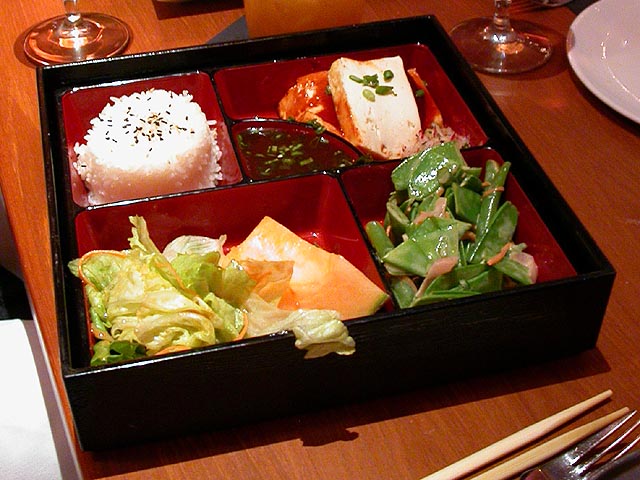
i wanted to take something already small and uber-smallify it. hence, i chose to design a miniscule version of a bento box. bento is a japanese meal organized neatly into different compartments, beautifully arranged with marvelously mini morsels. [interesting tidbit from wikipedia: Shōkadō bentō (松花堂弁当) is a traditional black-lacquered Japanese bento box, a type of lunchbox. It inspired IBM's ThinkPad design.] a bento box display is something very simple and compartmentalized, but also complex in aesthetics, layout, and components.
here are my 2D files, designed in coreldraw:
corel10 file
dxf file
update: inspired to create little containers for even littler things. can put tiny glass beads (~40 microns) within the boxes to make gorgeous microscopic pieces. i'm thinking joseph cornell meets richard feynmann.
six bento box configurations: zip file
interested in freestanding structures, multi-layer techniques, and is there any possibility for mini pressfit parts?
manu's intro lecture to the micromachines was trés interesting, not to mention helpful. hooray for small things!
i wanted to take something already small and uber-smallify it. hence, i chose to design a miniscule version of a bento box. bento is a japanese meal organized neatly into different compartments, beautifully arranged with marvelously mini morsels. [interesting tidbit from wikipedia: Shōkadō bentō (松花堂弁当) is a traditional black-lacquered Japanese bento box, a type of lunchbox. It inspired IBM's ThinkPad design.] a bento box display is something very simple and compartmentalized, but also complex in aesthetics, layout, and components.
here are my 2D files, designed in coreldraw:
corel10 file
dxf file
update: inspired to create little containers for even littler things. can put tiny glass beads (~40 microns) within the boxes to make gorgeous microscopic pieces. i'm thinking joseph cornell meets richard feynmann.
six bento box configurations: zip file
interested in freestanding structures, multi-layer techniques, and is there any possibility for mini pressfit parts?
Monday, November 15, 2004
puttering
[stepper motors]
i'm not sure what's wrong, but i bet it's due to my shoddy soldering skillls. my first board got off to a shaky start, burned my fingers, spun the motor for a few glorious seconds, and then emitted grand burnt fumes. toasted to the mosted. i just soldered up a second board this morning (thanks emma!) which refuses to receive uploaded code. i know my connector is okay because i just programmed amon's chip. what's happening??
with the teeming innards of the velcro room here, i concocted a cute spinning carnival-game-esque game with the glory of manifold adhesives, bubble wrap, and a chinet dinner plate. there's even a dual scoring scheme! fun for everyone.
since my final project will need probably 8-10 running motors, i need to get this problem with the board solved.
i'm not sure what's wrong, but i bet it's due to my shoddy soldering skillls. my first board got off to a shaky start, burned my fingers, spun the motor for a few glorious seconds, and then emitted grand burnt fumes. toasted to the mosted. i just soldered up a second board this morning (thanks emma!) which refuses to receive uploaded code. i know my connector is okay because i just programmed amon's chip. what's happening??
with the teeming innards of the velcro room here, i concocted a cute spinning carnival-game-esque game with the glory of manifold adhesives, bubble wrap, and a chinet dinner plate. there's even a dual scoring scheme! fun for everyone.
since my final project will need probably 8-10 running motors, i need to get this problem with the board solved.
Tuesday, November 09, 2004
surfacing
updated final project proposal; see if this is gonna fly.
so after experimenting around with the newer toys, and with some external inspiration, my latest project idea is loosely related to the chandelier project. first, i wanted something more organic-looking than something stiff and traditional. organic shapes with more modern-tech materials. doodled some starfishesque shapes, and slowly morphed to an octopus, an anemone, a jellyfish. i can imagine a stepper motor attached to each waving limb, with each individually controlled, legs curling or wiggling based on proximity. a light would softly glow within the main interior. and then, as an extension, instead of hanging on the ceiling, the whole light would be submerged in water. i'm hoping the vacuum form can produce a watertight housing for the circuitry.
just googling about for underwater light fixtures shaped like sea creatures, and came upon the indoor furnishing works of aqua gallery. i was amazed... this is exactly what i was thinking! except, of course, it'd be underwater, while responding to touch (and perhaps sound) through variable-state light glow pulsations and graceful tentacle wiggling.


how beautiful would this be? even if it were suspended from the ceiling instead of submerged in water, it'd create beautiful movement. i imagine the legs reacting quickly at first, then a slow retreat, the rest of the limbs imperceptibly swaying. however, to have it actually work underwater would be incredible... line the legs with translucent chiffon, inflate the 'head' from below, and infuse the tank with tiny diffusing particles. think: the wondrous jellyfish from finding nemo. no surprise that that was my favorite scene in the film.
so after experimenting around with the newer toys, and with some external inspiration, my latest project idea is loosely related to the chandelier project. first, i wanted something more organic-looking than something stiff and traditional. organic shapes with more modern-tech materials. doodled some starfishesque shapes, and slowly morphed to an octopus, an anemone, a jellyfish. i can imagine a stepper motor attached to each waving limb, with each individually controlled, legs curling or wiggling based on proximity. a light would softly glow within the main interior. and then, as an extension, instead of hanging on the ceiling, the whole light would be submerged in water. i'm hoping the vacuum form can produce a watertight housing for the circuitry.
just googling about for underwater light fixtures shaped like sea creatures, and came upon the indoor furnishing works of aqua gallery. i was amazed... this is exactly what i was thinking! except, of course, it'd be underwater, while responding to touch (and perhaps sound) through variable-state light glow pulsations and graceful tentacle wiggling.


how beautiful would this be? even if it were suspended from the ceiling instead of submerged in water, it'd create beautiful movement. i imagine the legs reacting quickly at first, then a slow retreat, the rest of the limbs imperceptibly swaying. however, to have it actually work underwater would be incredible... line the legs with translucent chiffon, inflate the 'head' from below, and infuse the tank with tiny diffusing particles. think: the wondrous jellyfish from finding nemo. no surprise that that was my favorite scene in the film.
machining
[a.k.a. dont kill yourself.]
so the big rule of using the lab machines: be safe.
some good pointers:
- know how to turn the machine off before you turn it on.
- dont push toward the tool
- dont reach into the tool
- always machine with somebody! friends are handy.
- do a dry run in the air first before dealing with materials
- use your ears; the machine should sound happy
so, hopefully by the end of this, we retain all our limbs and fingers, and everyone's alive.
a small list of available toys:
- spot welder
- ultrasonic welder (can connect + seal plastics, textiles)
- drill press (keep speed low, use key to tighten chuck, pedal control)
- radial saw (just for wood!)
- cordless drill (vrrrm vrrrrrmmmm)
- taps (for cutting in screw threads)
- die (make your own custom screws!)
- vertical bandsaw (hands on sides, curled grip, interchangable holding fixtures)
- horizontal bandsaw (adjust vise, speed, auto shutoff)
- scroll saw (for curvacious cuts)
fun with the nc mill... so there's scary sounds and lots of cryptic buttons, which means that john gets to happily help out with everything. easy to break or ram through stuff, so careful is the word. for our initial project we were constrained to three tools (1/4", 1/8", 1/16" bits) and about a 1/2" depth within the 3/8" die half. whee, featurecam!
using the leaf dfx that i did in corel (linked below), milled this with john's help. just a 2D shape, as a pocket created in featurecam. however, it came out quite prettily, with no real hurdles. i think we just needed to make the stem parts a tiny bit thicker to accomodate the bit sizes. perhaps another change for the future: add more runners so that the inner leaves get injected more evenly.
injection molding! so technically, one could flow plastic glass spheres, cut-up fibers (graphite, glass, natural), composites (fibers in binders, very strong and conductive), metal, and ceramic (powdered in plastic). apparently the swatch irony line was the first injection molded metal watches on the market. for us, we're just using pellets of ABS plastic that can be dyed using little color pellets.
so here we are with the gorgeous results. the first couple we made only came in partially, with it just forming in two parts, the top-most leaf and the stem. blame it on the minimal runners. did a little better by decreasing the speed of injection and increasing the temperature a bit. by making it runnier and slower, it managed to fill in the internal gaps and create a leaf. yay! imagine hundreds of these, forming a botanical bonanza.
notes on the injector: fill the material pellets about 2/3 way in the hopper, and add dye pellets if necessary (they're found in baggies under the machine). first, PURGE: align the purge plate in base, make sure there's a 40-50 degree difference in temperature, and start hydraulics (big green button). the mantra: engage carriage, inject (squooze), extrude (fill the cylinder with material). to lower pressure, turn knob in back CCW. watch for the plastic to come teeming out the top and sides of mold when it's full. to automate, can use the timers to dispense the allotment of injected plastic. you turn the thingy on top to specify how much material to extrude each time.
the vacuum former is very fun and easy to use. the smaller envelope is about 12" x 12"; the larger is 24" x 24". use PET, and make sure to take off the protective sheets first! put whatever object you want to form around on the tray, and lower it to safety with the big lever. place the PET sheet in the hole, aligning the sides with the sandwiching gaskets. lower the top (you might need to jiggle the bottom tray to align properly) and hand-lock in place. turn on all the burners and let it cook. the PET is ready to form when it's hot enough; you can tell if the middle is sagging about an inch or so. [then comes the fun part...] you raise your object with the lever, and then push the big green VACUUM button and watch the plastic get sucked down around your thing. you can use the eraser next to the machine to smooth out corners and curves. when satisfied with the result, press the yellow RELEASE button and voila.
the best thing for this is making packaging, but i guess i liked to create something more, perhaps a more generic container. i liked these ceramic nesting bowls from crate and barrel, so i v-formed over them. one concern: figure out how to get your object out from the plastic after forming! i had a bear of a time trying to pry the largest bowl out. hints: before forming, spray objects with a touch of STONER (i.e. machining PAM spray, a touch of smoothing grease), or if it's still stuck, put a shot of the heat gun onto the plastic until it gives way. after forming, you can crop the PET using the scrollsaw (it makes an awful noise!) and use
the sander to polish the edges (note: dont wear your black best, as the whitish specks get everywhere). anyway, the clear PET bowls look pretty cute, and make handy containers. also, since they fit the forms of the original bowls perfectly, i managed to augment my 3 nesting bowl set to a 6 bowl set. neat.
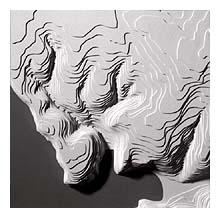
i originally had a vision of creating a 3D topographical terrain by vacuum forming in iteration over a series of growing hills. i'd make a model of three legos, say, and vacuum form. augment the structure a big, form another piece, and fit over. therefore, looking through the multiple transparent layers you could see each contour map corresponding to time, for example. this would have been supercool, but i didnt want to use up a lot of PET sheets for this week. perhaps for another time, i may be able to recreate my vision.
so the big rule of using the lab machines: be safe.
some good pointers:
- know how to turn the machine off before you turn it on.
- dont push toward the tool
- dont reach into the tool
- always machine with somebody! friends are handy.
- do a dry run in the air first before dealing with materials
- use your ears; the machine should sound happy
so, hopefully by the end of this, we retain all our limbs and fingers, and everyone's alive.
a small list of available toys:
- spot welder
- ultrasonic welder (can connect + seal plastics, textiles)
- drill press (keep speed low, use key to tighten chuck, pedal control)
- radial saw (just for wood!)
- cordless drill (vrrrm vrrrrrmmmm)
- taps (for cutting in screw threads)
- die (make your own custom screws!)
- vertical bandsaw (hands on sides, curled grip, interchangable holding fixtures)
- horizontal bandsaw (adjust vise, speed, auto shutoff)
- scroll saw (for curvacious cuts)
fun with the nc mill... so there's scary sounds and lots of cryptic buttons, which means that john gets to happily help out with everything. easy to break or ram through stuff, so careful is the word. for our initial project we were constrained to three tools (1/4", 1/8", 1/16" bits) and about a 1/2" depth within the 3/8" die half. whee, featurecam!
using the leaf dfx that i did in corel (linked below), milled this with john's help. just a 2D shape, as a pocket created in featurecam. however, it came out quite prettily, with no real hurdles. i think we just needed to make the stem parts a tiny bit thicker to accomodate the bit sizes. perhaps another change for the future: add more runners so that the inner leaves get injected more evenly.
injection molding! so technically, one could flow plastic glass spheres, cut-up fibers (graphite, glass, natural), composites (fibers in binders, very strong and conductive), metal, and ceramic (powdered in plastic). apparently the swatch irony line was the first injection molded metal watches on the market. for us, we're just using pellets of ABS plastic that can be dyed using little color pellets.
so here we are with the gorgeous results. the first couple we made only came in partially, with it just forming in two parts, the top-most leaf and the stem. blame it on the minimal runners. did a little better by decreasing the speed of injection and increasing the temperature a bit. by making it runnier and slower, it managed to fill in the internal gaps and create a leaf. yay! imagine hundreds of these, forming a botanical bonanza.
notes on the injector: fill the material pellets about 2/3 way in the hopper, and add dye pellets if necessary (they're found in baggies under the machine). first, PURGE: align the purge plate in base, make sure there's a 40-50 degree difference in temperature, and start hydraulics (big green button). the mantra: engage carriage, inject (squooze), extrude (fill the cylinder with material). to lower pressure, turn knob in back CCW. watch for the plastic to come teeming out the top and sides of mold when it's full. to automate, can use the timers to dispense the allotment of injected plastic. you turn the thingy on top to specify how much material to extrude each time.
the vacuum former is very fun and easy to use. the smaller envelope is about 12" x 12"; the larger is 24" x 24". use PET, and make sure to take off the protective sheets first! put whatever object you want to form around on the tray, and lower it to safety with the big lever. place the PET sheet in the hole, aligning the sides with the sandwiching gaskets. lower the top (you might need to jiggle the bottom tray to align properly) and hand-lock in place. turn on all the burners and let it cook. the PET is ready to form when it's hot enough; you can tell if the middle is sagging about an inch or so. [then comes the fun part...] you raise your object with the lever, and then push the big green VACUUM button and watch the plastic get sucked down around your thing. you can use the eraser next to the machine to smooth out corners and curves. when satisfied with the result, press the yellow RELEASE button and voila.
the best thing for this is making packaging, but i guess i liked to create something more, perhaps a more generic container. i liked these ceramic nesting bowls from crate and barrel, so i v-formed over them. one concern: figure out how to get your object out from the plastic after forming! i had a bear of a time trying to pry the largest bowl out. hints: before forming, spray objects with a touch of STONER (i.e. machining PAM spray, a touch of smoothing grease), or if it's still stuck, put a shot of the heat gun onto the plastic until it gives way. after forming, you can crop the PET using the scrollsaw (it makes an awful noise!) and use
the sander to polish the edges (note: dont wear your black best, as the whitish specks get everywhere). anyway, the clear PET bowls look pretty cute, and make handy containers. also, since they fit the forms of the original bowls perfectly, i managed to augment my 3 nesting bowl set to a 6 bowl set. neat.
i originally had a vision of creating a 3D topographical terrain by vacuum forming in iteration over a series of growing hills. i'd make a model of three legos, say, and vacuum form. augment the structure a big, form another piece, and fit over. therefore, looking through the multiple transparent layers you could see each contour map corresponding to time, for example. this would have been supercool, but i didnt want to use up a lot of PET sheets for this week. perhaps for another time, i may be able to recreate my vision.
iffy EFE
so my EFE microcontroller board didnt quite work out from a couple weeks ago. various problems... the python onscreen visualization didnt run correctly, my capacitance values kept jumping around (leapfrog!), and i was bashing my head in on assembly syntax.
i tried the vinylcutter with the copper foil atop the epoxy substrate, but got a little frustrated at the weeding process. the cutting was fine; i think it was successful at around 65% force, and i had no problems with the sticky transfer. but weeding. argh! tweezers in hand, i would almost get there, and then near the end i'd rip up the leads. a tedious process that a spastic hand unfortunately doesnt have much patience for. i found solace and safety in the modella, which milled to perfection. ah.
some asm notes:
.equ actually assigns something another name (sort of like #DEFINE), aliasing, nom de plume, whatever you fancy
.def just declares a variable, taking dibs on a spot in memory
DDRM specifies whether a pin is output or input
sbi set bit - output
cbi clear bit - input
PORTB specifies whether a pin is turned high or low
sbi set bit - high
cbi clear bit - low
use undersampling to integrate the slow conversion rate of the A->D and the fast sample + hold signal. when your finger gets closer, the charge is slower because humans are huge capacitors. the big hint in running the EFE boards is to convert your object to capacitance and resistance.
also, the datasheet == ATtiny bible. read it and know.
postscript: for the jumps, neil suggests putting in NOPs to syncronize the ADC undersampling of 60-cycle. gotta figure this out.
i tried the vinylcutter with the copper foil atop the epoxy substrate, but got a little frustrated at the weeding process. the cutting was fine; i think it was successful at around 65% force, and i had no problems with the sticky transfer. but weeding. argh! tweezers in hand, i would almost get there, and then near the end i'd rip up the leads. a tedious process that a spastic hand unfortunately doesnt have much patience for. i found solace and safety in the modella, which milled to perfection. ah.
some asm notes:
.equ actually assigns something another name (sort of like #DEFINE), aliasing, nom de plume, whatever you fancy
.def just declares a variable, taking dibs on a spot in memory
DDRM specifies whether a pin is output or input
sbi set bit - output
cbi clear bit - input
PORTB specifies whether a pin is turned high or low
sbi set bit - high
cbi clear bit - low
use undersampling to integrate the slow conversion rate of the A->D and the fast sample + hold signal. when your finger gets closer, the charge is slower because humans are huge capacitors. the big hint in running the EFE boards is to convert your object to capacitance and resistance.
also, the datasheet == ATtiny bible. read it and know.
postscript: for the jumps, neil suggests putting in NOPs to syncronize the ADC undersampling of 60-cycle. gotta figure this out.
Monday, November 08, 2004
Monday, November 01, 2004
it's mill[ing] time
started out with a grandiose idea of making leaves, replete with stems, veins, and softly turned tips. just produced a line drawing in coreldraw. john took one look at my file and laughed maniacally. seems i didnt take into account the size of the bits, so the design was a little too detailed with tiny resolution.
simplified the leaf by just drawing the outline (nixed the veins) and drew a thicker stem. here is the dxf.
wanted to get a little more adventurous, stepping into the next dimension, so created an adorable ladybug in 3dstudiomax. learned that for proper dxf export, you must convert everything to an editable mesh, and can probably save some headache by just creating a block to represent your cast and doing a boolean difference with the object, modeling the mold itself.
files for my ladybug!
the dxf
screenshot of the actual intended object
screenshot of the inverted cast
simplified the leaf by just drawing the outline (nixed the veins) and drew a thicker stem. here is the dxf.
wanted to get a little more adventurous, stepping into the next dimension, so created an adorable ladybug in 3dstudiomax. learned that for proper dxf export, you must convert everything to an editable mesh, and can probably save some headache by just creating a block to represent your cast and doing a boolean difference with the object, modeling the mold itself.
files for my ladybug!
the dxf
screenshot of the actual intended object
screenshot of the inverted cast